
A digital speedometer app for the car that does not have one.
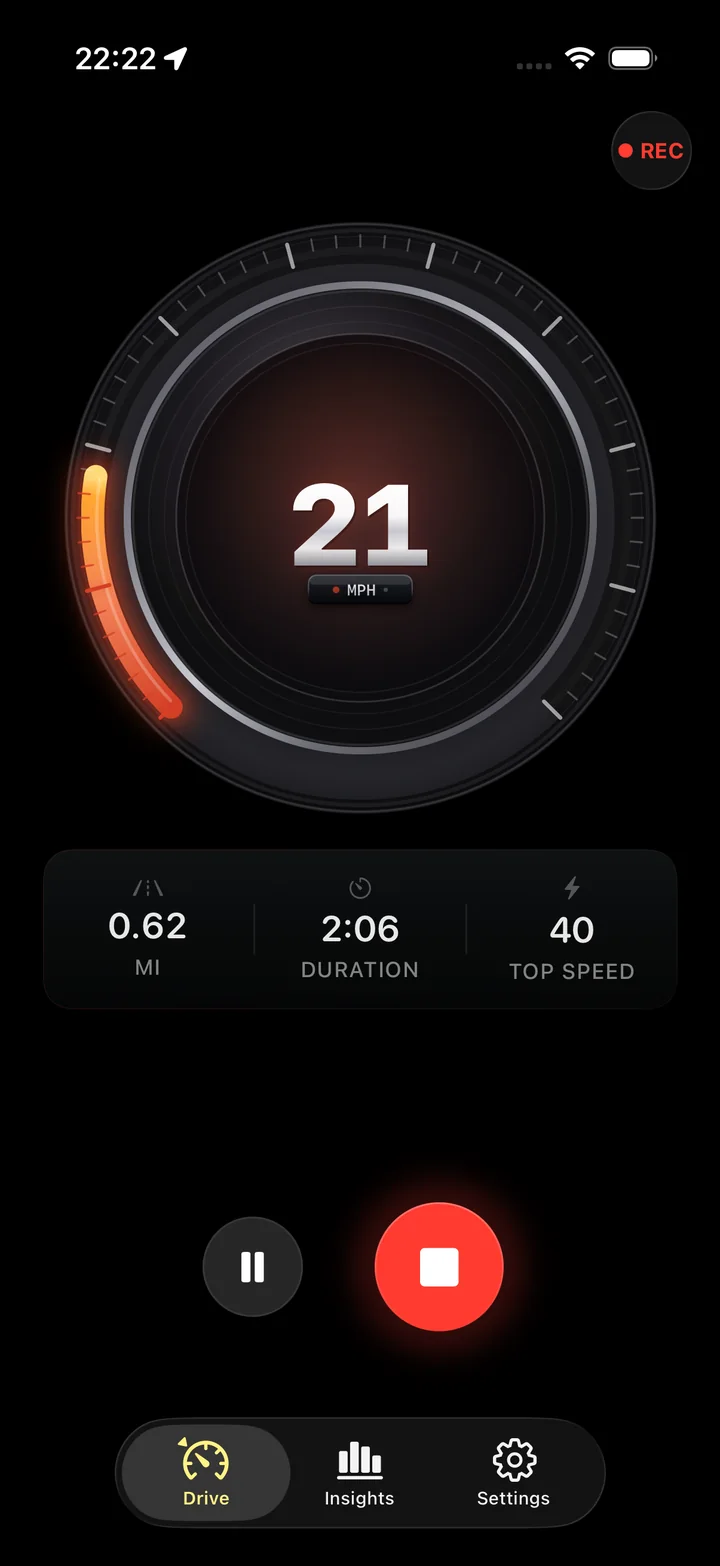
A dead dial, a dial in the wrong units, a classic with a needle you cannot read at night, a rental across a border. Torq turns the iPhone you already own into a large, accurate readout with the posted limit next to it.
Four situations this solves
Each is a reason people search for a speedometer app, and each has a detail worth knowing.
The dial is dead
A failed speed sensor or an instrument cluster fault leaves the car with no reading. The phone fills in while you arrange the repair: GPS speed is accurate to about a mph on open roads, and the speed-limit alert takes over the job of reminding you where the limit is.
The dial is in the wrong units
An imported Japanese car reads km/h in a mph country; an American car on a European road reads mph. Converting in your head at every sign is tiring and error-prone. One setting puts the right unit on the screen and on the limit.
The dial is hard to read
A classic car's needle, a dim cluster, a small digital readout low on the dash. A phone in a mount at eye level shows a numeral the height of your thumb, white on black, and it does not fade at night.
It is not your car
A rental, a borrowed van, a moving truck with a cluster you have never seen. The phone is the one instrument that is the same in every vehicle, and Torq keeps the drive afterwards, which a rental's odometer will not.
The car forgets every reading. Torq keeps them.
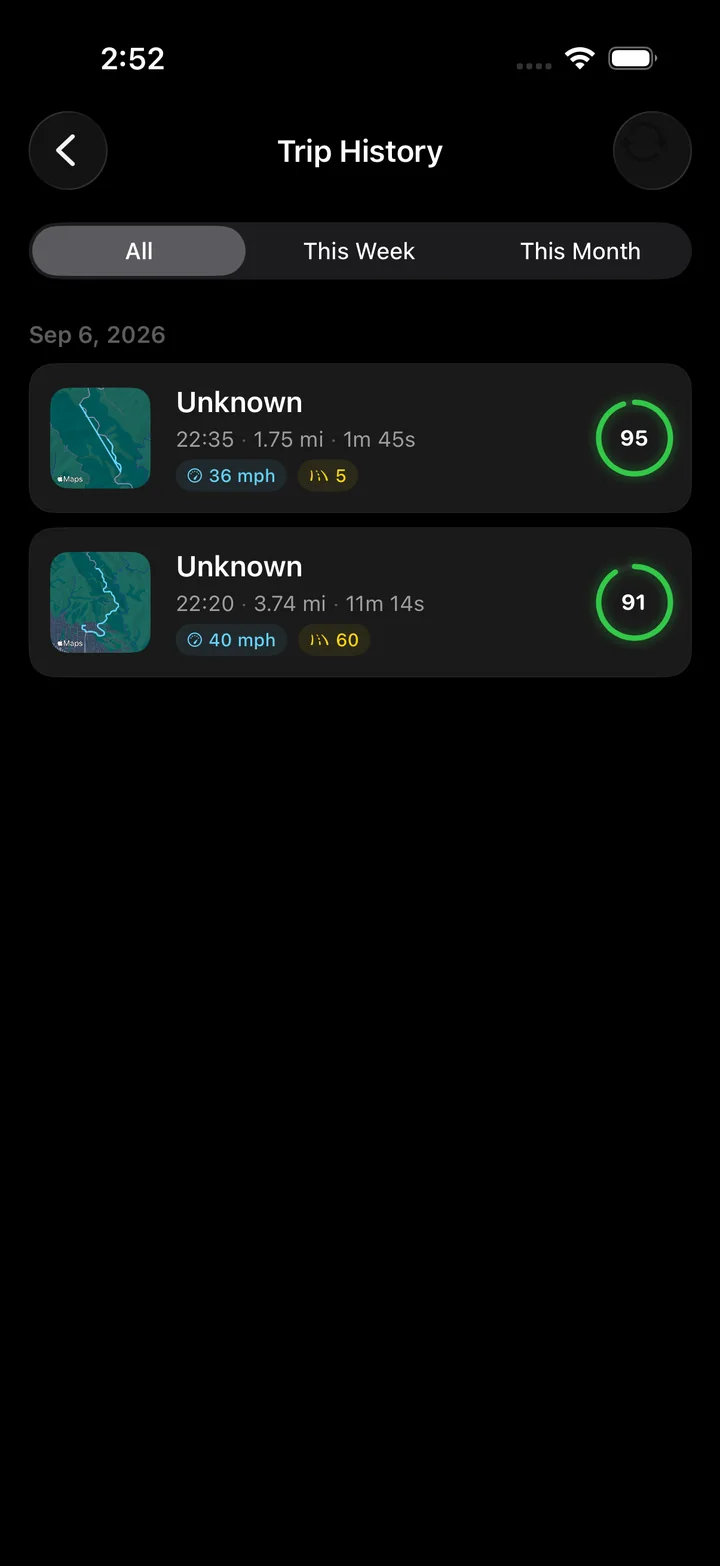
A dashboard speedometer forgets a reading the moment it changes. Torq keeps the route of the drive as a heat map, the top speed, the distance and time, every corner, and a score. For the car with a dead dial that is a bonus; for the rental it is the only record of the trip.
The Lock Screen Live Activity means the reading survives a phone call or a switch to Maps, and the trip history means the drive is still there next week.
Setting it up as the primary readout
- Use a dashboard or vent mount near eye level with a view of the sky. Cup holders and pockets work for speed but hide the screen and starve the motion sensors.
- Plug into power. GPS at high accuracy is the hungriest thing a phone does; a lighter adapter makes the battery a non-issue.
- Set the unit system, and turn on the speed-limit alert if you want the limit beside the number.
- Turn on the Live Activity, so the reading is still there if a call comes in or you switch to Maps.
- Press Start before you pull out. Then leave it alone until you park.
What to expect from the number
On open roads the GPS reading is within a mph or two of true speed and usually a little under what a working dial would show, because dials are built to read high. In a tunnel or a parking garage there is no reading, and Torq shows none rather than a stale one. The phone is the more honest instrument on an open road; the car is the only instrument underground.
If the phone readout stays at zero, work through its location and recording settings. Troubleshoot an iPhone speedometer
Check a speed in the other unit before comparing it with the dashboard. Convert mph and km/h
Questions
My car's speedometer stopped working. Can I use my phone instead?
Yes, as a temporary readout. A phone in a dashboard mount running Torq shows a large GPS speed that is at least as accurate as the dial was, in mph or km/h, with the posted limit beside it. Get the car fixed: a dead speedometer usually means a failed sensor or cluster, and in many places it is a roadworthiness defect.
Can I use it in a car that shows km/h when I need mph, or the reverse?
Yes. That is one of the most common reasons to run a phone speedometer: an imported car, a rental across a border, a classic with a dial in the wrong units. Switch the unit system in Torq once and every readout follows, including the Lock Screen overlay and the speed-limit alert.
Is a phone speedometer legal to use?
Running a speedometer app on a mounted phone is legal in most places, the same way a navigation app is; the rules that apply are the ones about handling a phone while driving. Whether a phone satisfies a legal requirement for a working speedometer varies by jurisdiction, and usually it does not.
Does it work in an old car with no electronics at all?
Yes. Torq needs nothing from the car. GPS comes from the sky, the motion data from the phone, the power from a lighter adapter or a battery pack. A 1970s car gets the same readout as a new one.
Will the screen stay on?
While the drive screen is open, yes. If you switch to another app or lock the phone, the speed stays visible in the Live Activity on the Lock Screen and in the Dynamic Island, and it can float over other apps as a Picture in Picture window.
Is the phone speedometer accurate at low speeds?
Down to a walking pace, yes. Under about 3 km/h the reading becomes noisy and Torq shows a stop rather than a jittering number. At parking-lot speeds the dial in a car is often the less reliable of the two.
A readout for any car, in the units you need.
Mount the phone, press Start, and the speed is on the screen, on the Lock Screen and beside the posted limit. Every drive is kept.