
Driving time calculator
Enter the distance, your expected average speed while moving, and the minutes you plan to stop. See the driving time and total duration before you set off.
Loading calculator.
Calculate the time your drive needs
Divide the route distance by the average speed you expect while moving, then add your stopped minutes. The first result covers movement. The combined result makes room for the breaks you entered, whether that means collecting a passenger, buying fuel or sitting down for lunch.
Pair miles with mph, or kilometers with km/h. Either pair gives hours when you divide. For example, 120 miles at an average of 48 mph means 2.5 hours of driving. That is 2 hours 30 minutes, not 2 hours 50 minutes. A twenty-minute stop brings the total to 2 hours 50 minutes.
Use a speed greater than zero and the distance along the route you intend to take. A straight line between two places can be shorter than the road connecting them. This form works from your numbers; it does not look up that road distance.
A 180 km drive with a half-hour stop
A planned 180 km journey at a moving average of 60 km/h takes three hours behind the wheel. Allowing thirty minutes for a stop makes the whole plan three hours and thirty minutes. These figures illustrate the arithmetic, rather than predict conditions on a particular road.
| Part of the plan | Calculation | Duration |
|---|---|---|
| Driving | 180 km ÷ 60 km/h | 3 hours |
| Planned stop | 30 minutes | 30 minutes |
| Complete journey | 3 hours + 30 minutes | 3 hours 30 minutes |
If lunch takes forty-five minutes instead, the driving portion stays at three hours and the complete journey becomes three hours and forty-five minutes. Keeping the two amounts separate makes it easier to adjust the plan without changing an unrelated input.
For several stops, add their minutes before entering the total. A ten-minute pickup and a twenty-minute fuel break use the same thirty-minute allowance in this example. Include each stopped interval once.
Choose an average that fits the route
The speed input represents your expected progress while the vehicle is moving. A posted limit, a cruising speed on one open stretch and a peak from an earlier trip describe different things. Town streets, bends, hills and slower sections can pull the moving average below the number you remember from the highway.
Keep separately entered stops outside that average. If a previous journey's average already includes its lunch break, using that number and adding the same lunch allowance again would count the break twice. Check what the earlier duration includes before treating its average as a planning input.
When the route has distinct sections, calculate each section with its own distance and expected average, then add the resulting times and your breaks. This is useful when an access road and a long highway stretch need different assumptions. Save both assumptions so you can explain the final estimate later.
When you have the earlier distance and duration, inspect the average and its stop-time basis before using it in a new plan. Calculate an average from a recorded trip
What this travel-time estimate can tell you
The result tells you how much time your stated plan requires. It does not select a route, check live congestion, detect a road closure or return an arrival clock time. Those questions need information beyond distance, speed and a stop allowance.
Use the calculator to compare schedules, decide how much of the day a journey occupies, or see the effect of a longer break. For current routing and traffic conditions, check a navigation service before departure. An exact-looking duration here still depends on an estimated average speed.
If a meeting or reservation matters, decide separately how much contingency time you want. The calculator has no knowledge of parking availability, walking time after arrival or delays you did not enter. Revisit the inputs when the plan changes instead of expecting the original result to update itself.
Bring a real trip to your next plan
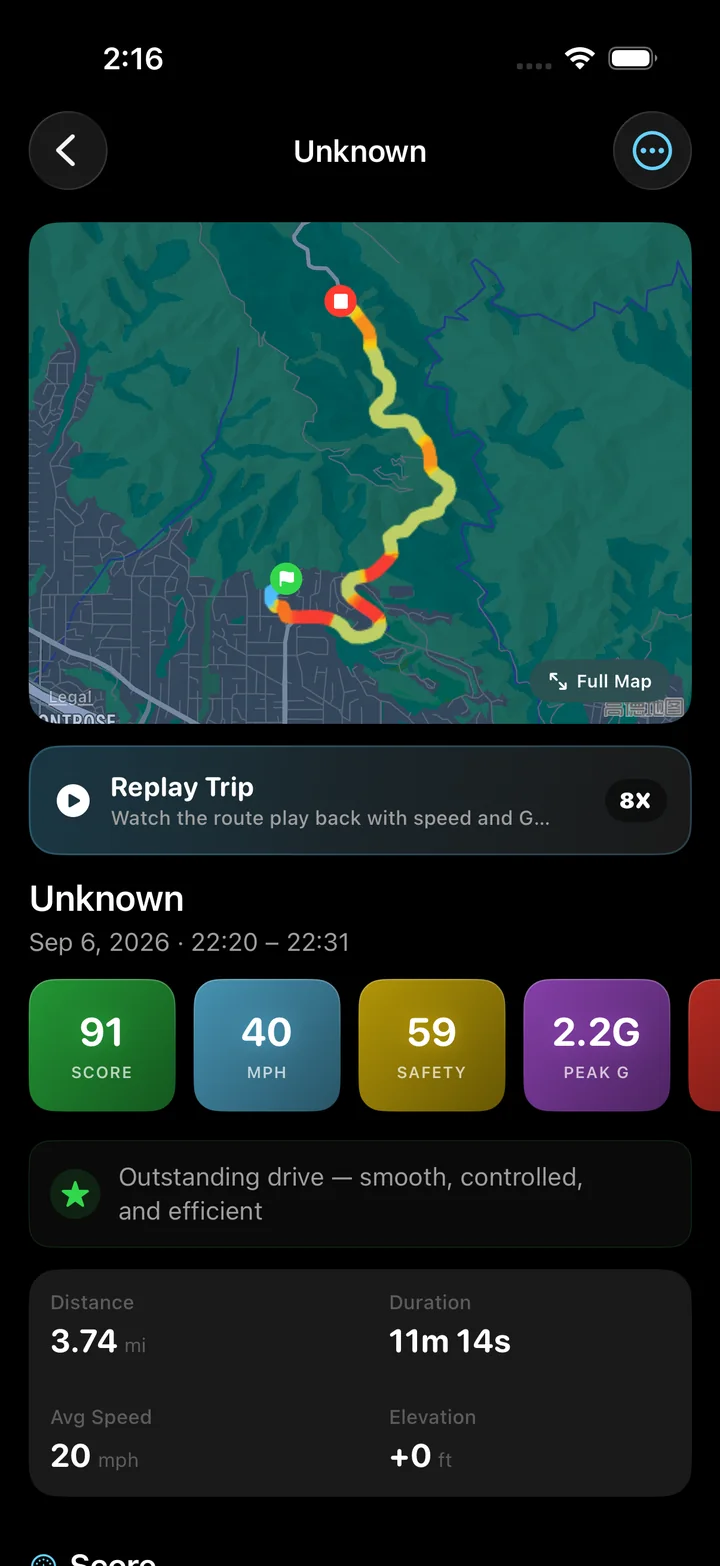
Torq keeps a drive's route, distance, timing and speed history on your iPhone. After a familiar journey, open its record and compare the trip with the time you set aside. The route and charts give you more to work with than a remembered departure time.
Account for recording pauses when comparing the two. Torq's trip average uses active recording time, and stationary intervals remain included while recording is active. It is not automatically the moving average requested here. Use the saved distance, duration and chart to understand the earlier journey before choosing assumptions for the next one.
Save the distance and timing of a familiar route so the next estimate has a real journey behind it. Keep a record of your trip mileage
The relationship behind the calculation
OpenStax presents time as distance divided by average speed. Here that relationship supplies the driving duration; adding the entered stop allowance is a separate scheduling step.
Questions
How long does it take to drive 100 miles?
At an expected moving average of 50 mph, the driving portion is two hours. Add a fifteen-minute stop and the planned duration becomes two hours and fifteen minutes. A different average or stop allowance changes that result.
Can this calculate time in kilometers?
Yes. Use kilometers for distance and km/h for speed. The time relationship is unchanged, provided the distance and speed use matching units.
Does the estimate include rush-hour traffic?
Only to the extent that your own inputs allow for it. The tool does not fetch traffic information or adjust an average automatically. Current route conditions can make the actual journey longer or shorter than your estimate.
Can I work out speed if I already know the journey time?
Use the average speed calculator for that question. This page starts with an assumed speed and finds time; the average speed tool starts with a measured distance and duration.
Give the next estimate a trip to learn from.
Record your drive with Torq and return to its distance, route and speed chart. Keep the journey you actually made alongside the one you planned.