
Does Waze or Google Maps have a speedometer?
Yes, Waze does, Google Maps can, and Apple Maps shows the limit but not your speed. All three read the same GPS as a dedicated app. What they lack is a readout you can see from the driver's seat, one that survives a switch to music, and any memory of the drive afterwards.
What each maps app shows
| App | Speedometer | Speed limit | Alert | Keeps the drive |
|---|---|---|---|---|
| Waze | Yes, a small readout in the corner while navigating | Yes, where Waze has data | Yes, at a threshold you set | No |
| Google Maps | Optional, in the corner while navigating, off by default in some regions | Yes, in many countries | No dedicated alert | No |
| Apple Maps | No | Yes, on the map during navigation | Optional limit warning in newer iOS versions | No |
| Torq | Yes, a full-screen gauge, on the Lock Screen and floating over other apps | Yes, from OpenStreetMap, labeled exact or inferred | Yes, plus a manual limit | Yes: route, speed, corners, G-force, score, export |
The speed in a maps app is the same GPS Doppler speed Torq reads, so a small number in the corner of Waze is about as accurate as any phone speedometer on an open road. The difference is not the measurement. It is the size of the readout, where it lives when the map is not on screen, and what happens to the drive afterwards.
Navigation apps show speed as an afterthought.
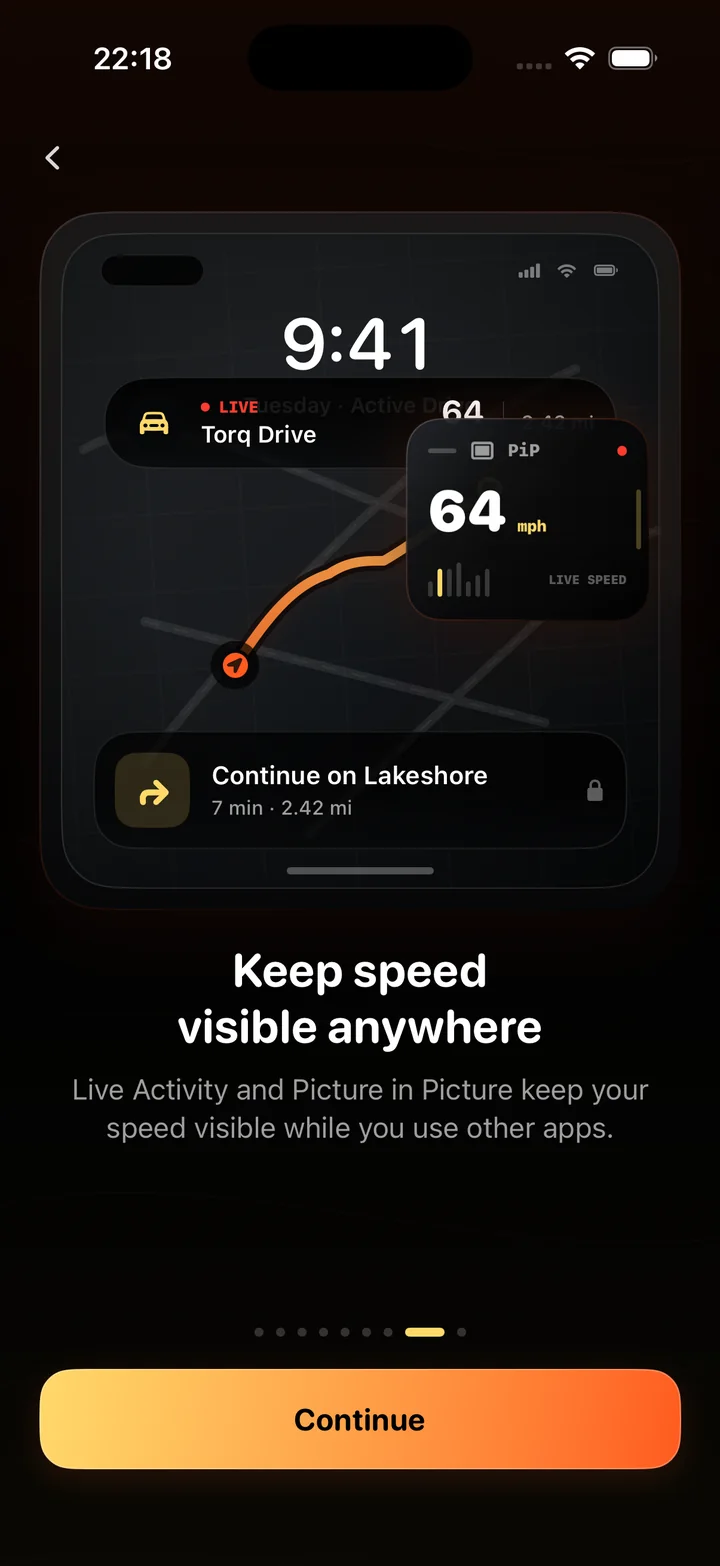
A speedometer in a maps app is a few millimeters tall in a corner, competing with the route, the next turn and the traffic. It disappears when navigation ends, and it disappears when you switch to a podcast. A dedicated speedometer shows the number the height of your thumb with the posted limit beside it, and Torq keeps that number on the Lock Screen, in the Dynamic Island and in a Picture in Picture window over the map itself.
The two are not rivals. Run Maps for the route and Torq's PiP window for the speed, and you have the map you navigate by and the readout you glance at, in one screen.
- Torq's speed-limit alert uses OpenStreetMap and labels an inferred limit as inferred; a maps app rarely says where its limit came from.
- Torq records in the background and needs no destination entered.
- A maps app forgets the drive when you arrive. Torq keeps it.
Is the speedometer in Waze accurate?
About as accurate as any GPS speedometer, which under open sky means within 1 to 2 km/h of true speed, and usually a little under the car's dial, because dials are built to read high. Waze, Google Maps and Torq all read the phone's GPS. Where they differ is in what they do with a bad fix: a navigation app smooths speed for display, and Torq filters the series with a robust outlier detector before it computes a top speed, so a satellite glitch cannot become a record.
Can I get a speedometer on Google Maps?
In many regions, yes: it is a setting under navigation options, and it appears in the corner during turn-by-turn directions only. It does not show outside navigation and does not keep a history. Apple Maps shows the posted limit during navigation and, in newer iOS versions, can warn when you exceed it, but it does not display your current speed.
If Torq also has no moving-speed reading, follow the phone's location and recording checks. Check iPhone location and speedometer settings
Questions
Does Waze have a speedometer?
Yes. Waze shows your current speed in a corner of the map during navigation, with the posted limit beside it where Waze has the data, and an optional alert when you exceed the limit by a threshold you choose. It does not keep a record of the drive.
Does Google Maps have a speedometer?
It can. Google Maps has an optional speedometer in the navigation settings, available in many countries, that shows in the corner during turn-by-turn navigation. It is off by default in some regions and does not show outside navigation.
Does Apple Maps show your speed?
No. Apple Maps shows the posted speed limit during navigation and, in newer iOS versions, can warn when you go over it, but it does not display your current speed. Torq's Picture in Picture window can float over Apple Maps to add one.
Is the speedometer on Waze accurate?
As accurate as any GPS speedometer: within about 1 to 2 km/h of true speed under open sky, and usually slightly under the car's dial, which is built to read high. Tunnels and dense city streets degrade it the same way they degrade any GPS speed.
Can I use Torq and a maps app at the same time?
Yes. Start a drive in Torq, switch to Maps, and the speed stays in the Dynamic Island, on the Lock Screen, and in a Picture in Picture window that floats over the map. Torq records in the background the whole time.
Why use a dedicated speedometer app if Maps has one?
For a readout you can see at a glance, for the speed staying visible when navigation ends or another app is open, and for the record: the route, the top speed, every corner and a score, kept and exportable. A maps app forgets the drive when you arrive.
Keep the map. Add the speedometer.
Navigate with the app you already use, and let Torq put a real speed readout on top of it and keep the drive afterwards.