
A GPS odometer app that logs every drive.
Distance, duration, average and top speed for each trip, measured from the same GPS speedometer and saved with the route. Running totals by month and all time. The whole log exports as a spreadsheet.
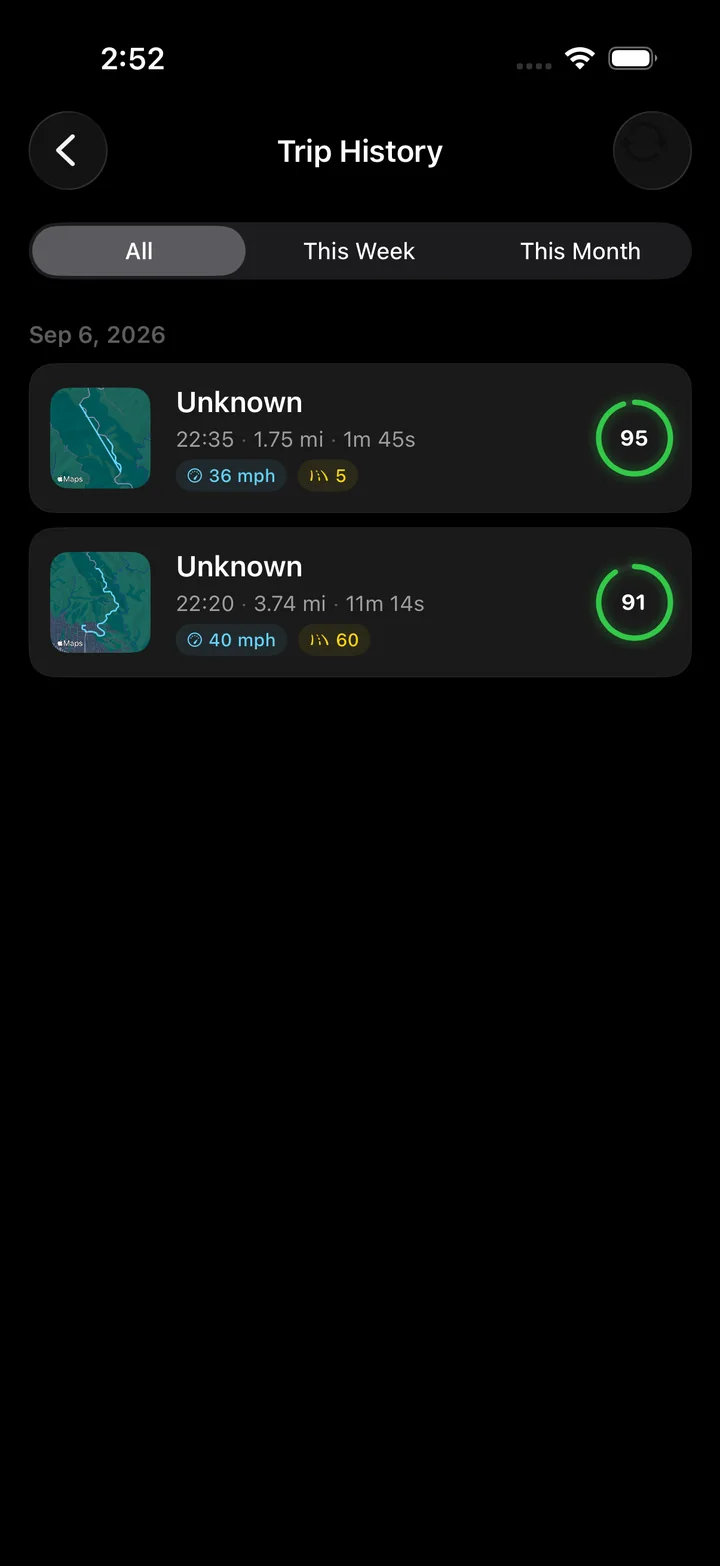
What every trip carries
Put your distance and duration to work, with a separate comparison for minutes spent stopped. Average speed calculator
Use the distance of a familiar route with your expected moving average and a stop allowance to plan another journey. Plan the time for a drive
One fix a second, added up, with the noise thrown out.
iOS delivers a location fix about once a second while a drive records. Torq keeps the fixes whose horizontal accuracy is 65 meters or better and adds up the distance between each one and the next. A fix that would imply an impossible speed is discarded rather than added to the route.
Below a slow walking pace the distance is not accumulated at all. That is what stops a phone sitting at a red light from gaining a few meters a minute from GPS scatter, which is the classic failure of a naive GPS odometer.
- Stopped time and pauses are counted separately, so the moving average is available afterwards.
- Elevation gain comes from the barometer with a dead band, not from raw GPS altitude.
- Kilometers or miles, one setting, applied everywhere.
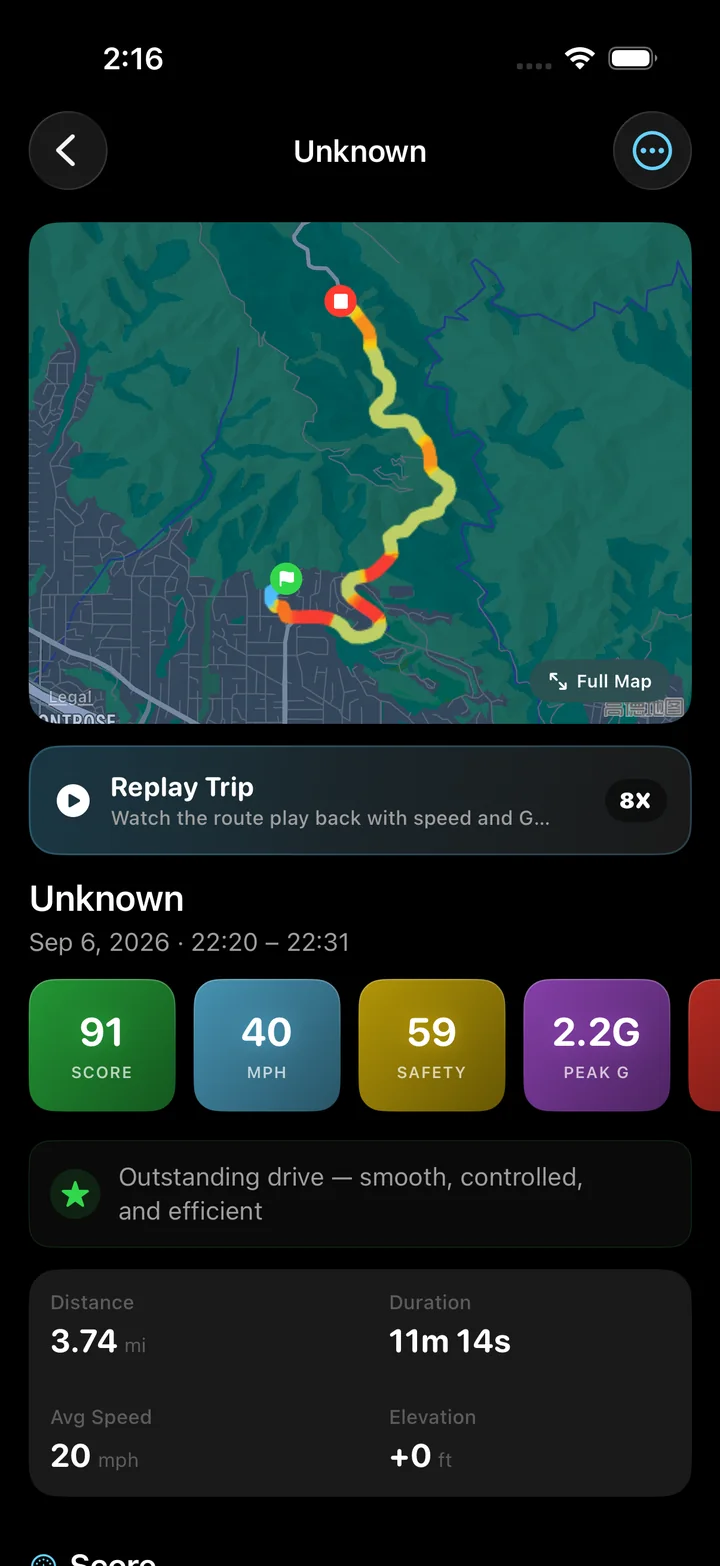
Where GPS distance differs from the dashboard
On a straight highway the two agree to within a percent or two, and when they differ the car is usually the one reading high: manufacturers calibrate odometers to over-read slightly, and worn tires roll a shorter distance per revolution than new ones, which makes the car count more distance than it has covered.
GPS under-reads on tight, twisty roads, because a fix per second draws a chord across each bend instead of following the arc. In a tunnel there are no fixes, so the gap is closed with a straight line and marked as a tunnel event in the trip.
Taking the log out
The CSV export writes one row per trip: date, start and end time, start and end city, duration in seconds, distance in kilometers, average and top speed in km/h, elevation gain in meters, and the trip's two scores. It opens in Numbers, Excel or Google Sheets without conversion, and because the columns and units are fixed, a file exported next year appends cleanly to one exported today.
Questions
How does a GPS odometer measure distance?
It sums the distance between consecutive GPS fixes along the route, about once a second. Torq drops fixes whose reported accuracy is worse than 65 meters and ignores movement below a walking pace, so a phone sitting still does not accumulate distance from GPS jitter.
Is a GPS odometer more accurate than the car's odometer?
On open roads they agree within one or two percent, and the car is typically the one reading high because of tire wear and manufacturer bias. GPS loses a little on very twisty roads and more in tunnels, where the gap is bridged in a straight line.
Can I use Torq as a mileage log for work?
You can export every trip as a CSV with the date, times, start and end city, duration and distance, which is the data a mileage log needs. Torq does not classify trips or apply rates, so treat it as the source of the distances rather than as the log itself.
Does the odometer keep a running total?
Yes. The Recap tab shows total distance, total duration and total trips across everything recorded, plus monthly distance, average trip length and the all-time top speed. The history can be filtered to this week or this month.
Does it show the trip meter while I drive?
Yes. Distance, duration, average speed and top speed sit under the gauge and update live, and the distance and elapsed time are also in the Lock Screen Live Activity.
Kilometers or miles?
Either. The unit system setting switches every distance between kilometers and miles and every speed between km/h and mph. The CSV export writes kilometers and km/h regardless, so a spreadsheet never mixes units.
A distance for every drive, and a total for all of them.
Torq measures each trip from GPS, keeps the log on the phone, and exports it as a CSV when you want to add it up somewhere else.