
GPS altitude accuracy: why your iPhone's height changes.
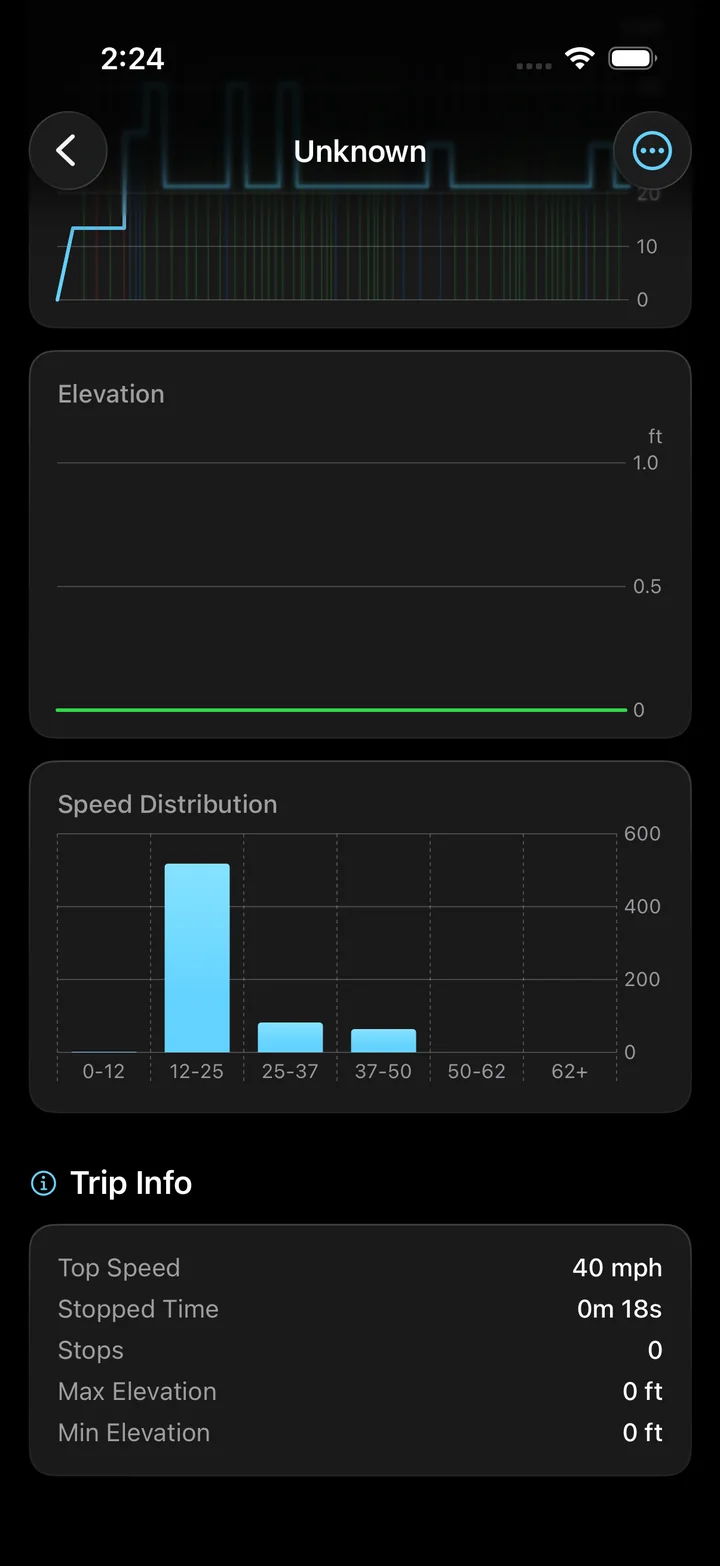
GPS altitude can change even when the road stays level. Reception, measurement uncertainty and the way an app processes height all affect the number. Torq keeps the elevation profile with your drive, so you can inspect a questionable reading in the context of the route.
On this page
A correct map position does not prove the height is correct
Horizontal position and altitude have separate uncertainty estimates on iPhone. A dot that appears on the right road can still have a less reliable height. Apple's location service reports altitude relative to mean sea level, together with a vertical-accuracy estimate. That estimate describes uncertainty around the reading; it is not a promise that every update will agree with a roadside elevation sign.
GPS.gov identifies satellite geometry, obstructions, reflected signals and receiver design among the factors affecting reception accuracy. A phone under clear sky has different conditions from one between buildings or beneath a vehicle roof. There is no single altitude-error figure that Torq has validated across all iPhones and roads.
Check which height you are comparing
Compare the same location, units and kind of measurement before deciding a reading is wrong. A current height, a change since recording began and an elevation taken from a map are different inputs.
| Reading | What it describes | What to check |
|---|---|---|
| Current altitude | Estimated height at this moment | Same place, same units and fresh reception. |
| Barometer's relative altitude | Height change since its first reading | Its starting point is a reference, not sea level. |
| Map elevation | Height assigned to the mapped location | A bridge or elevated road may differ from the ground below. |
| Saved elevation chart | A processed sequence across the trip | Filtering can change it from the live readout. |
How Torq combines GPS and barometer data
The live altitude field uses the height supplied with an accepted iPhone location update. After recording, Torq checks the elevation series for poor confidence and implausible jumps. It can interpolate suspect spans from nearby usable measurements before building the chart.
When enough barometer data is available, Torq uses its relative changes to shape the profile and anchors those changes to filtered GPS altitude. Otherwise, it smooths the GPS heights. This reduces some noise in the saved profile; it cannot recover an unmeasured climb or establish the exact height of a bridge.
Read the pattern before trusting a peak
An isolated jump and a gradual climb deserve different checks. After parking, open the trip's elevation chart. Compare the section with the road you remember and the route shown on the map. A sharp spike around a reception gap is a reason to question the measurement, not evidence of a steep road.
For example, two apps may show different absolute heights while drawing a similar climb. They may use different sensors, references or smoothing. Compare the shape and the measurement method before treating the larger number as the better result.
The trip's accumulated climb answers another question: how much uphill movement was recorded across the journey. It is not the altitude at the finish.
- Elevation gain versus altitude, with a worked example
- Apple: altitude relative to mean sea level
- Apple: relative altitude readings
Open an exported track to see whether an isolated height reading also appears in the surrounding samples. Inspect a GPX elevation profile
Questions
Why does GPS altitude change while I am stopped?
Measurements can vary without real movement. Satellite reception and the sensor estimate can change between updates. Look for a sustained change across the recorded profile rather than treating each small fluctuation as a climb.
Does Torq show altitude from the barometer live?
The live altitude field takes its value from the accepted iPhone location update. Available barometer readings contribute to the saved elevation profile and elevation-gain calculation after recording.
Does a smooth elevation chart mean the height is exact?
No. Smoothing changes how noisy measurements appear. It can make a route easier to read without eliminating its uncertainty or correcting every missing or inaccurate sample.
Keep the climb with the drive.
Record your next route in Torq and review its elevation chart alongside speed and distance. A saved profile gives you more to inspect than a height that disappears when it updates.